Dec 2025 Update: UX Updates
Updates to app styling, a faster way to add and search tunes, and a revamped routine list page.

by Tarun
Creator, tuneUPGRADE
As we wrap up 2025, I'd like to highlight quite a few new updates part of the platform.
Broad Styling Changes & Tunes List

Easier interactions; nicer contrasts: You'll notice some broader styling changes - for one, there's a very light background texture applied meant to be reminiscent of sheet music running behind the page. This is faded towards the top to make header text more legible and not distracting. Cards should pop a bit more, and buttons should have cleaner outlines and look slightly more 3D. I'll be cleaning up more buttons and cards in the app and making some other small tweaks, so expect more slight shifts. The goal of this is to give some contrast - many places like the dashboard had the same background color inside and outside of the cards; and many times buttons were very flat and not intuitive to press. I'm working on a more cohesive styling as I try to work through more pages of the app to revamp the UX.
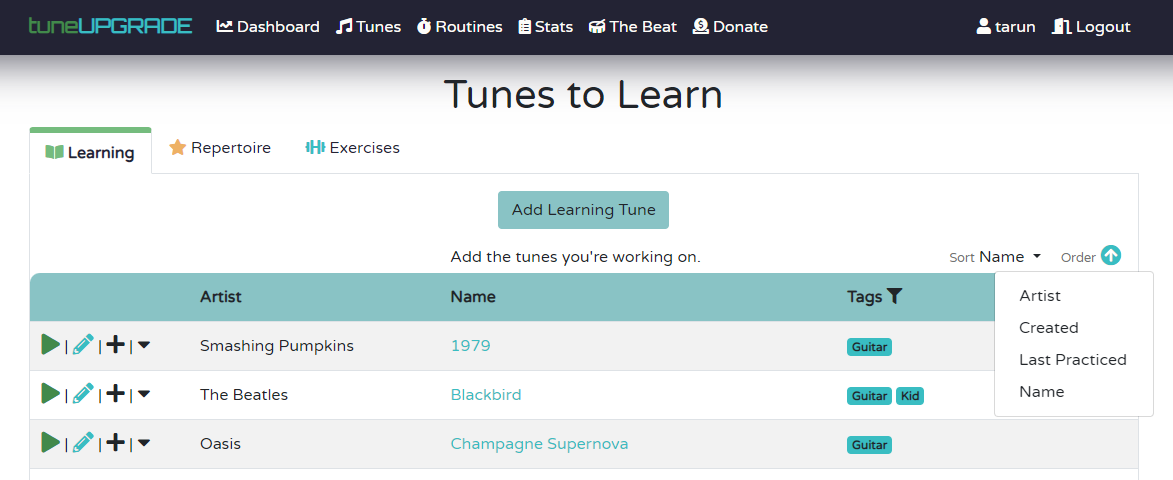
Searching on the Tune List: You'll notice that there's a nice search box within each tab on the top of the tune list. This lets you search across titles, artists, and tags - making it easy to quickly find what you care about. I've noticed some of you have large repertoires - this will make it easy to quickly find what you're looking for!
Add Tune Modal: Most of the time when adding a new tune, you're only populating some very basic information. I've created a modal that lets you enter the 3 most common pieces of information - Title, Artist, and Tags - without having to leave the tune list page to speed up tune entry. By default, just like before, we'll automatically search Spotify to populate album art and allow playback on the practice screen. If you are logged into spotify; you'll be able to play back fully; if not, you'll get a song clip instead.
Routine List Overhaul

I've overhauled the routine list page, and included a ton of features:
Much Richer Display: Before, you saw two pieces of information in a basic table - name, and when you last practiced. Now, you get a much richer display feature album art, understand how long a routine is, when you last practiced it, and a sneak peek at the first few tunes in a routine. This makes it easier to clean up old routines - keep your practice space nice and zen by removing things that you don't really use anymore.
Search: You can also search for routines by name or by tunes within routines - even if they aren't displayed within the few tunes.
Sorting: Sort your routines by last practiced, name, or length.
Grouping: Automatically have your routines organized by ones you've never run, ones you've run recently, and ones that haven't been run a while, making it easier to stay organized.
Preview, Edit, or jump right in: Click the card to jump into the practice preview screen; hit the practice button to jump straight into practicing, or edit to configure the routine.
Practice Preview Screen

Additionally, the Practice Preview screen has been overhauled for a much richer display. Key features include:
Album Art for a much quicker at-a-glance understanding of what is contained within.
Explanations of smart tunes: If you have a smart tune, the criteria for it will be displayed. At-a-glance durations: Intelligent color-coding of the shorter and longer items in your routine.
Metronome Updates
You can now set a target tempo for a song, which will allow the metronome to have some nice visual indicators of how close you are to on-tempo.

Privacy Mode
You can now turn on a private mode, which hides and excludes you from the leaderboard competition if you prefer to remain anonymous and have a less competitive approach for self-motivation. Turn Privacy Mode on under your account settings.
Disable Spotify Integration
By default, we automatically associate your tunes with a Spotify track when eligible. A user pointed out for certain types of instruments this is unhelpful and ends up having a the wrong tracks and thumbnails associated. You can now disable the default integration, but you can still select Spotify tracks manually when needed, or clear them directly from the tune edit page. You can adjust this setting on the account settings page.
Feedback?
I hope to continue to work on the app as we go into 2026; and your feedback is invaluable. If you like this redesign, find an issue, or have feedback, drop me a note at [email protected]! Positive and critical feedback are both welcome to help me improve the app or confirm I'm going in the right direction. Thank you!
This post is part of the The Beat, a blog by the free music practice tracker tuneUPGRADE. Sign up and start tracking your practice to become a better musician today - totally free!
Related Articles
Jan 2026 Updates: Routine Tweaks and Theory Aids
A slew of new updates as we progress through Jan 2026. I'll keep updating this post if more is released as well.

Tune List Experience
Cleaner, more responsive, and with more eye candy.
Tune List Sorting
A few more organization options.

Quick Practice & Stats
Jump back in faster, see longer result timeframes.

Various UX Improvements
Introducing a new way to add to routines, icons, and fewer clicks!
Autoselection of Spotify Tracks
A quick update to improve user experience when creating new tracks.